Since version 3.0.0 of our CATweasel Toolkit, PDFParser has been included as part of the Toolkit and now offers a wide range of new features. If you wish to switch to the CATweasel Toolkit while retaining your settings and custom filters, you will need to be familiar with the new data structure.
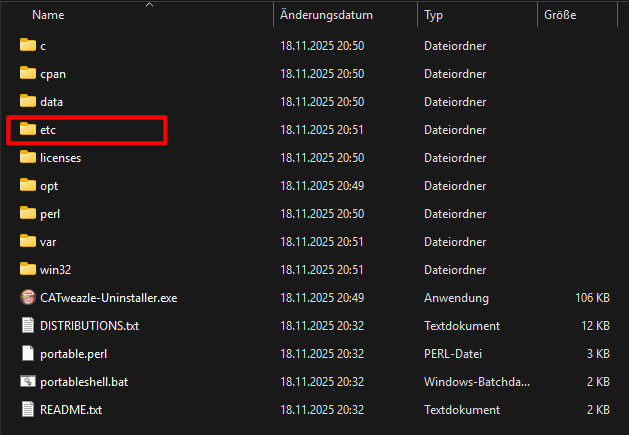
We have made a number of improvements to simplify user configuration. For example, all configuration files have been moved from the subdirectories (perl/site/bin) to the top-level etc directory. This provides a clearer separation between the actual program data and the configuration files. This structure makes it easier to maintain an overview, particularly in more complex and distributed configurations.
Before switching to the CATweasel Toolkit, you should make a backup copy of the file perl\site\bin\pdfparser.cfg. The contents of this file may later need to be incorporated into several configuration files in the new structure.
After that, we recommend completely uninstalling all CATweasel tools and manually deleting any leftover files from the installation directory. To do this, delete the entire CATweasel folder after uninstalling the tools. This prevents obsolete settings or libraries that may remain in the file system from causing problems during the Toolkit installation.
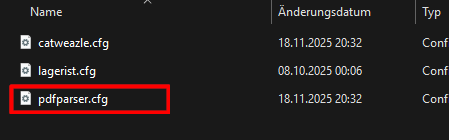
The settings for the parser itself are still stored in the pdfparser.cfg file within the new structure. You can transfer your previous settings here.
In the simplest case, without any customizations, you can simply take your existing pdfparser.cfg file and use it to overwrite the installed file in the `etc` folder.
As global settings such as logging are now managed in the central configuration file catweasel.cfg, this section should be removed from the old PDFParser configuration file pdfparser.cfg.
I hope this information helps you transition to our new CATweasel Toolkit and that you enjoy using it.
Cheers, Niklas
P.S.: Please also note that the configuration level for the parser has changed. The additional <ParserList> level has been removed from the configuration!
Another important note for anyone wishing to migrate an existing PDFParser profile to the new Toolkit: the <ParserList> level has been removed from the configuration structure. Parsers are now created directly at the <PDFParser> level. For existing configurations, this means that the parsers must be moved up one level.
See also the comment: https://alx-development.de/?p=397#comment-3